
FCX SCAN APP INSTRUCTIONS
The following instructions should be followed carefully to ensure the most accurate foot scan possible. Please review the four steps below before using the Footcare Xpress App to scan your feet. Accurate scans help our specialists create the best-fitting custom orthotics for your unique needs. Requires iPhone X or newer.
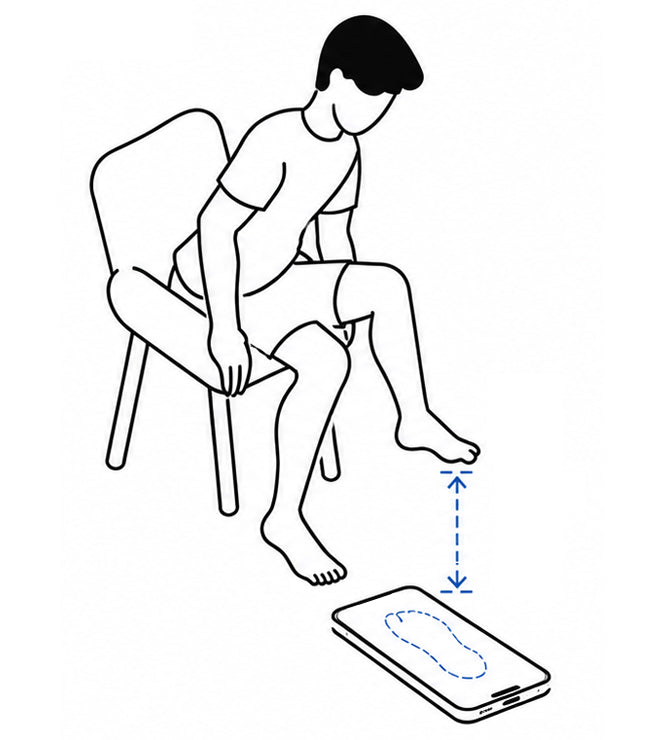
Step 1. Get Set to Scan
Sit down and open the app. Tap Scan Foot.
Place your phone flat on the floor with the front-facing camera facing up.
Hold your foot about 6-12 inches above the phone and align it within the on-screen foot outline.
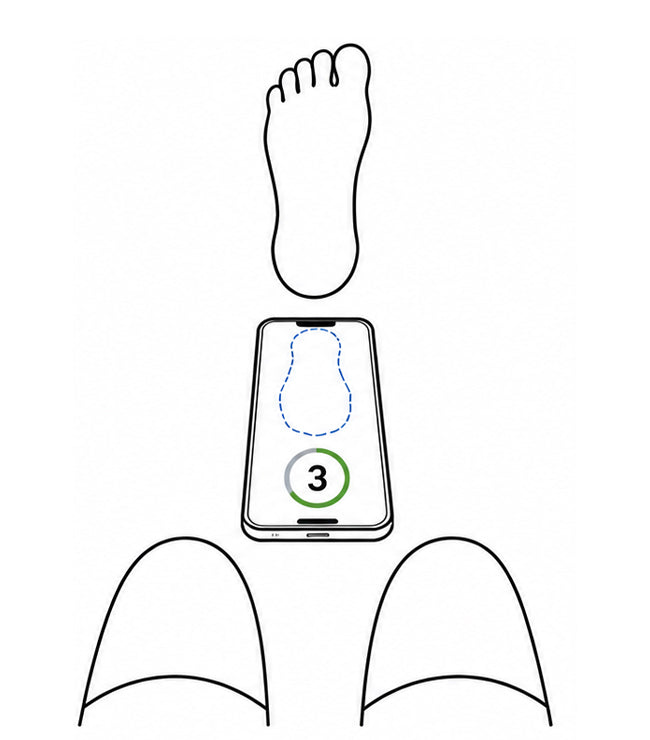
STEP 2. Capture Your Scan
Keep your foot steady inside the outline.
The app will scan your foot in 3–5 seconds. You’ll see a timer on screen.
When the scan is complete, the screen will turn green.
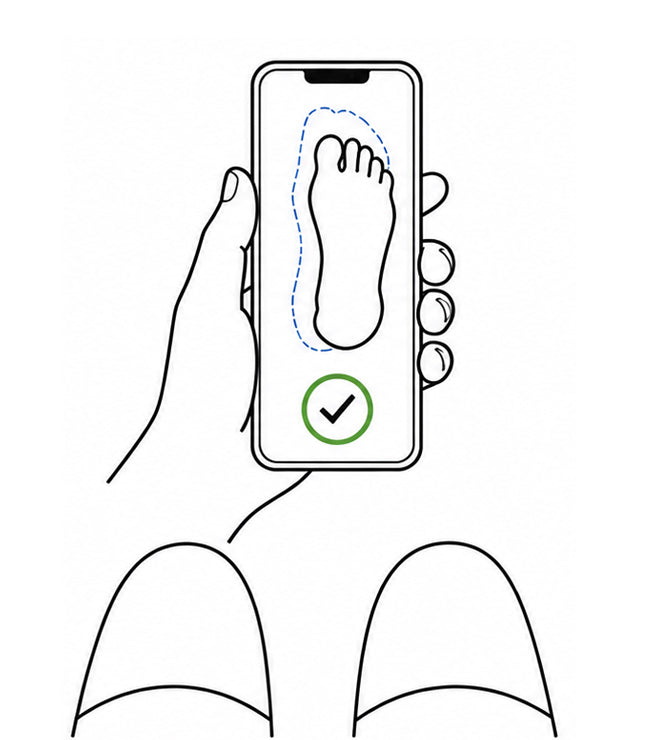
STEP 3. Confirm & Repeat
Tap the check mark to confirm your scan.
Repeat the same steps for your second foot.
Once both scans are complete, they’ll be automatically uploaded to our team.

Starts With a Simple Scan
Once you place your order, you'll receive an email with instructions to download the Footcare Xpress App. Using your smartphone, you'll complete a quick and easy foot scan from the comfort of your home. The scan captures the precise measurements and foot data our specialists need to create custom orthotics tailored specifically to your feet, lifestyle, and support needs. Requires iPhone X or newer.
